


1. Register and Log In
1.Open your browser and visit the TESTCOO official website
2.If you do not have an account, click “SIGN UP” in the top-right corner.

3.Enter your email address and required information, then complete the registration process.
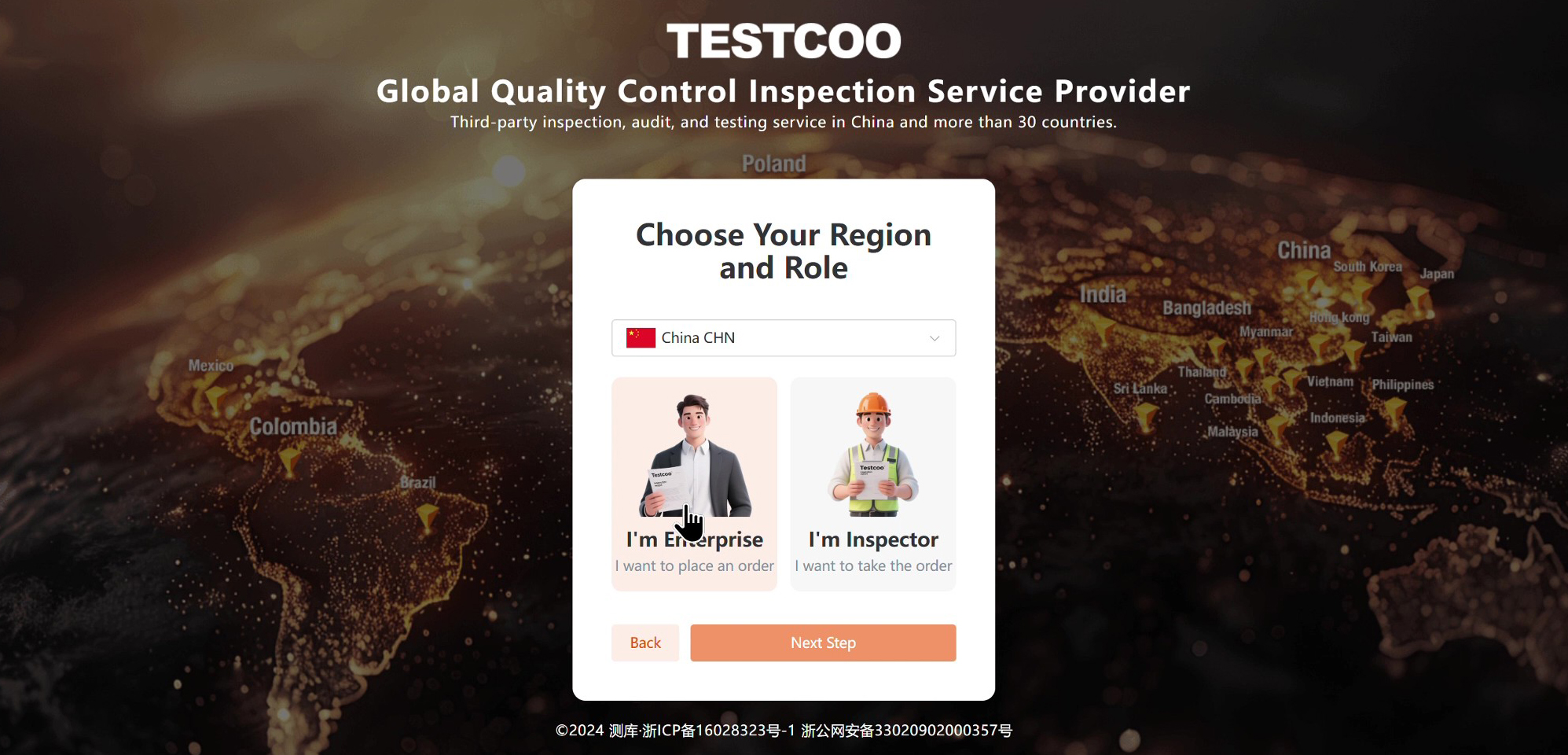

4.After registration, click “LOG IN” and enter your account credentials.

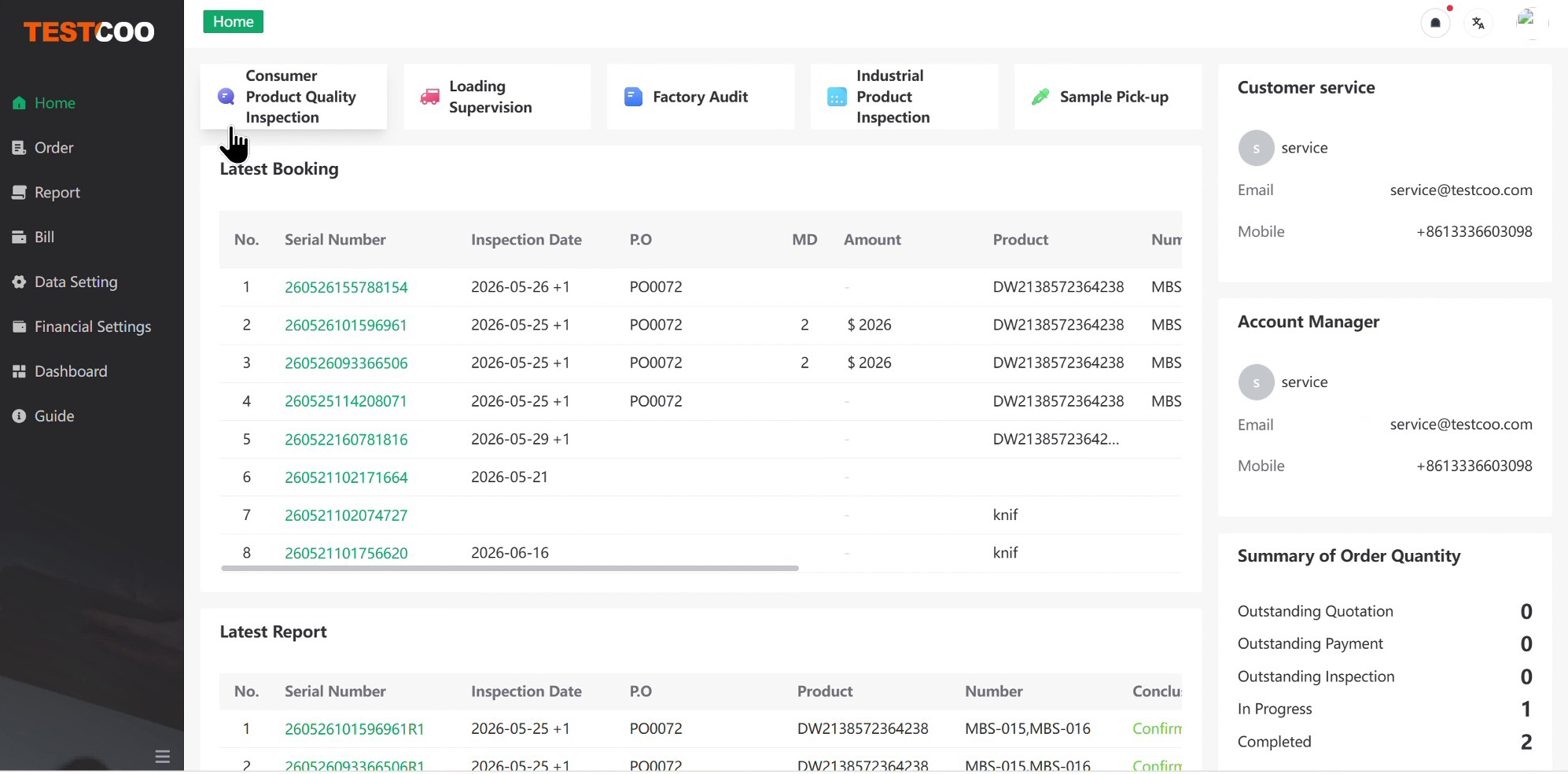
5.Once logged in, you will be directed to the Main Dashboard, where you can manage your orders, inspections, reports and other activities.
2. Place an Order
1.On the Main Dashboard, select the service you need from the service options at the top of the page, such as:
- Product Quality Inspection
- Loading Supervision
- Factory Audit
- Other available services
2.Select the appropriate service to start the booking process.
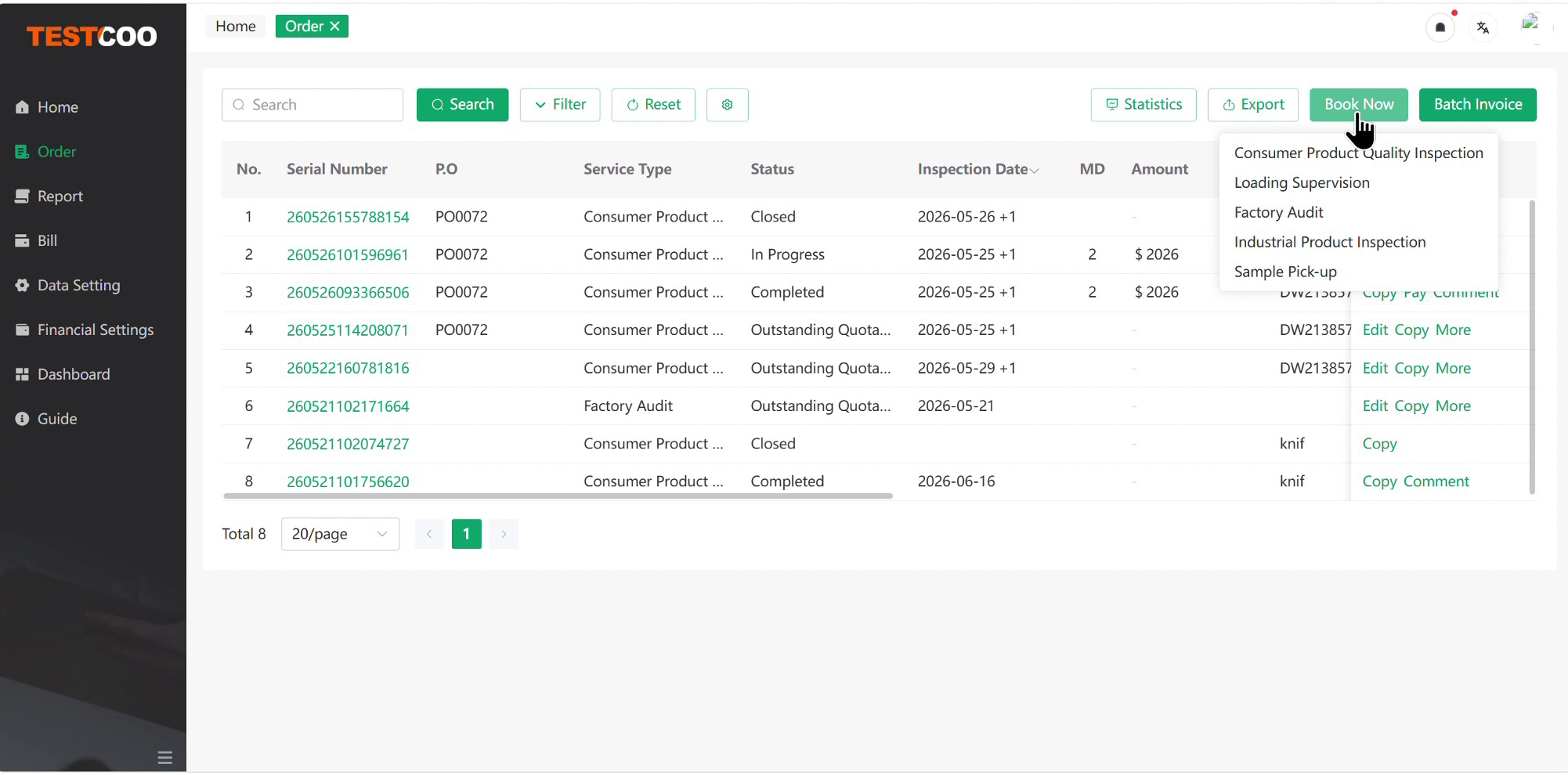
3.Alternatively, go to “Order List” from the left-hand sidebar and click “Book Now” in the top-right corner.
4.On the Order Details page, complete all required information. Fields marked with a red “*” are mandatory.
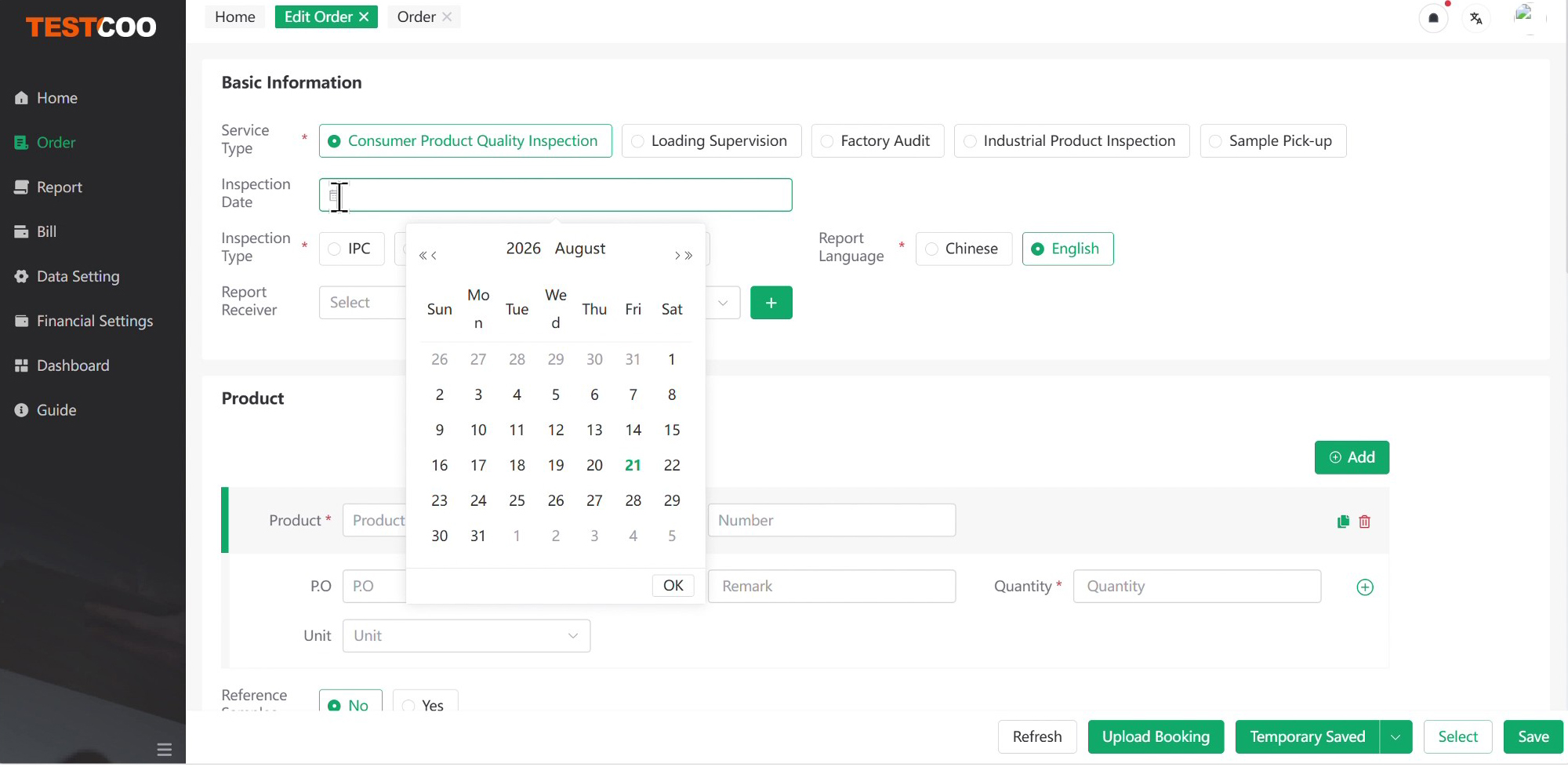
5.Make sure the following key information is completed:
- Inspection Date
- Service Type
- Inspection Type
- Product Name
- Quantity
- Supplier
- Factory
Note: You can select an existing factory from the system or enter the supplier or the factory information manually.

6.Carefully check the information you entered and click “Save” in the bottom-right corner.

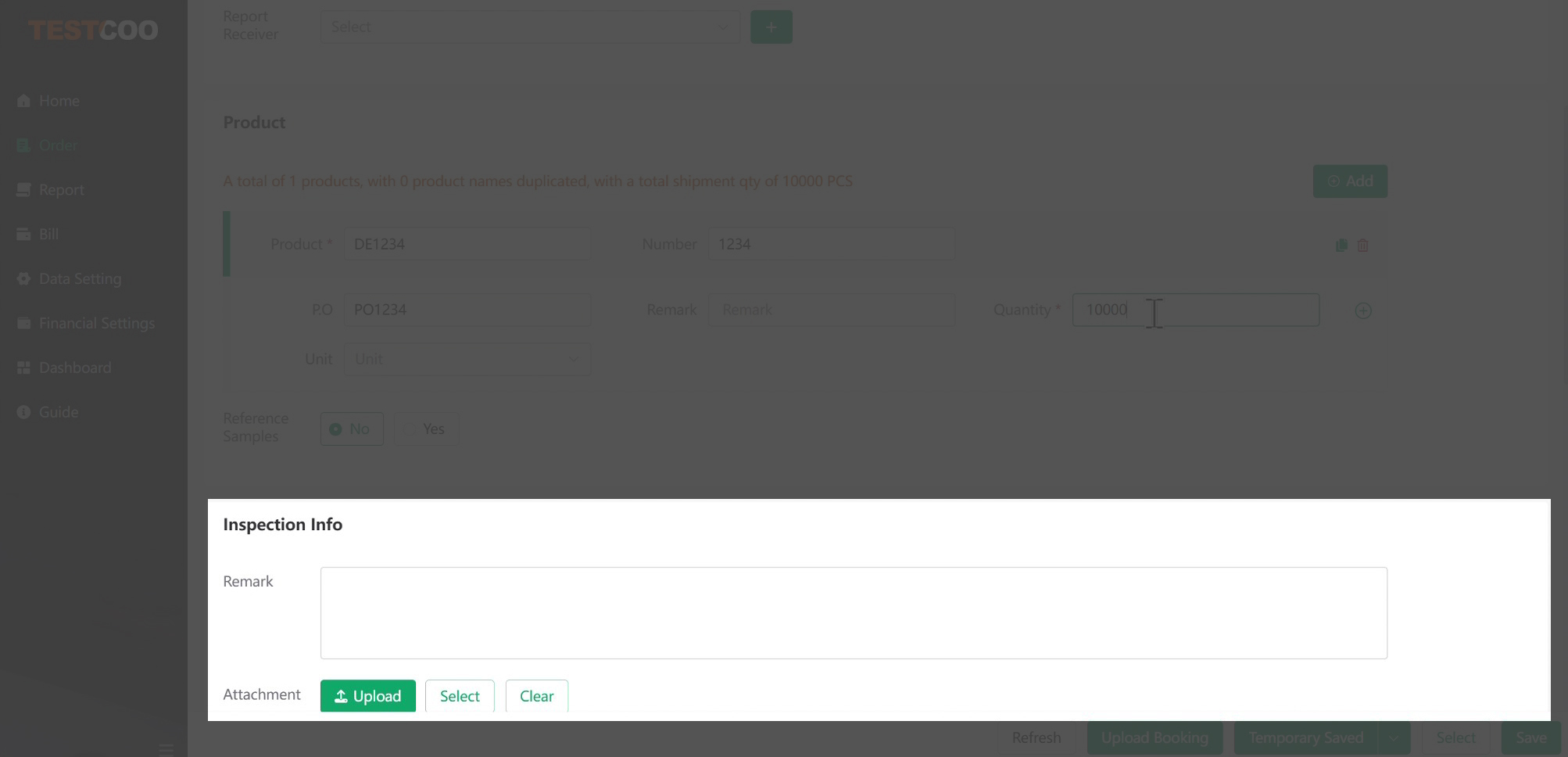
7.If you have specific inspection requirements or supporting documents, upload them in the “Inspection Info” module. You can upload materials such as:
- Purchase Order
- Packing List
- Product Manual
- Product Photos
- Custom Inspection Criteria
8.Providing complete and accurate information helps our inspectors conduct the inspection more efficiently and prepare a more detailed report.
3. Confirm the Quotation and Make Payment
1.After you submit your order, our CRM team will review the order details.
2.If any information is missing, the CRM team will supplement the required information and prepare a formal quotation.
3.Review the quotation and confirm it as soon as possible.
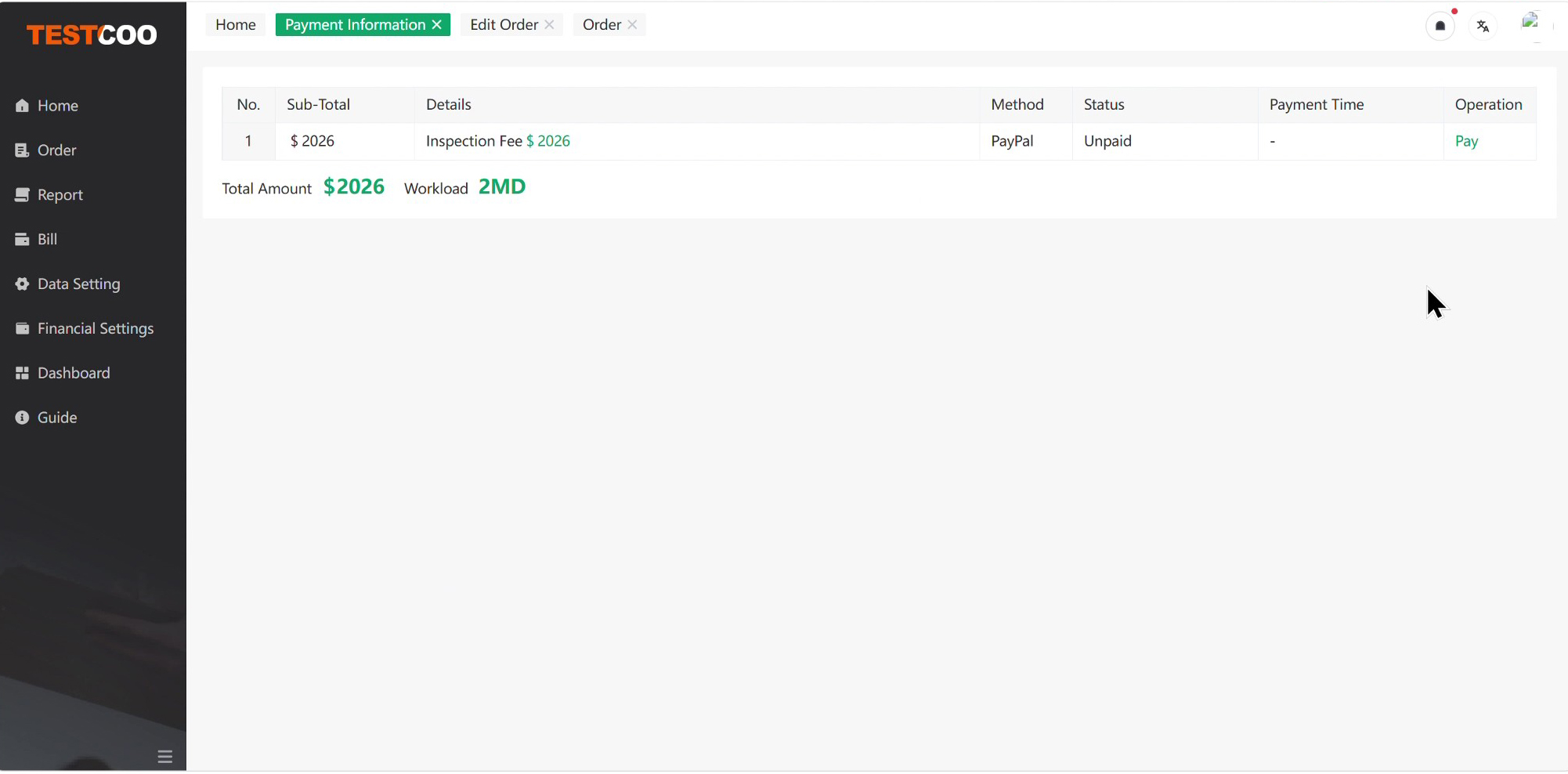
4.After the quotation is confirmed, go to “Order List” to proceed with payment.

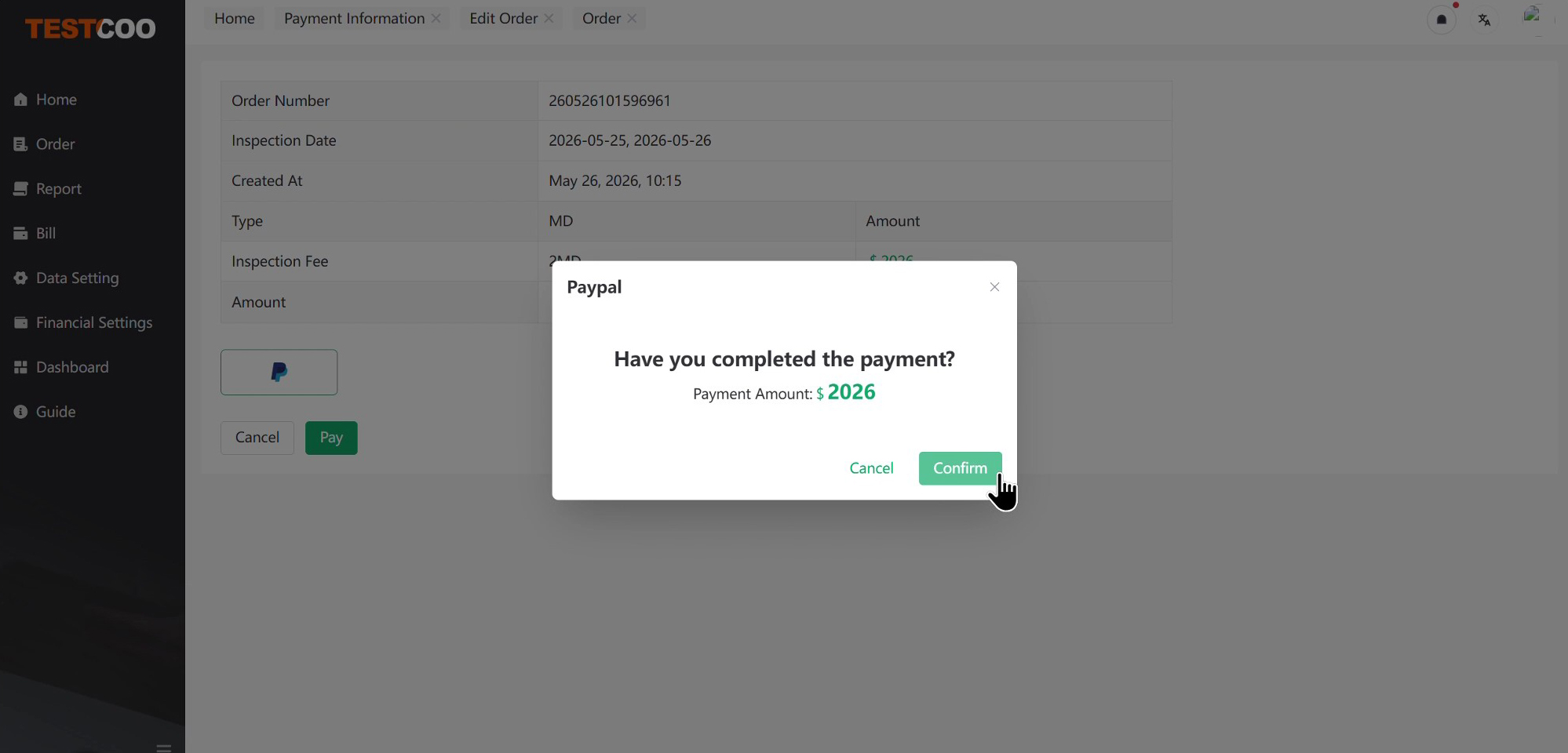
5.Select the appropriate payment currency:
- USD: PayPal
- RMB: WeChat Pay or Alipay
6.If you prefer to pay by bank transfer or another payment method, contact your dedicated CRM for assistance.
7.Once payment is confirmed, an inspector will be assigned to your order.
8.The inspector will visit the factory and conduct the inspection according to the agreed requirements.
9.After the inspection, the inspector will submit the inspection report.
10.The report will then be reviewed by a supervisor and approved by a technical manager before it is officially released.
4. View the Inspection Report and Release the Shipment
1.Once the inspection report is released, go to “Report List” to view it.
2.You can also click the Report Number to open the report details page. On the report details page, you can review:
- Inspection Order
- Factory Information
- Applied Standards
- Inspection Results
- Complete Inspection Report
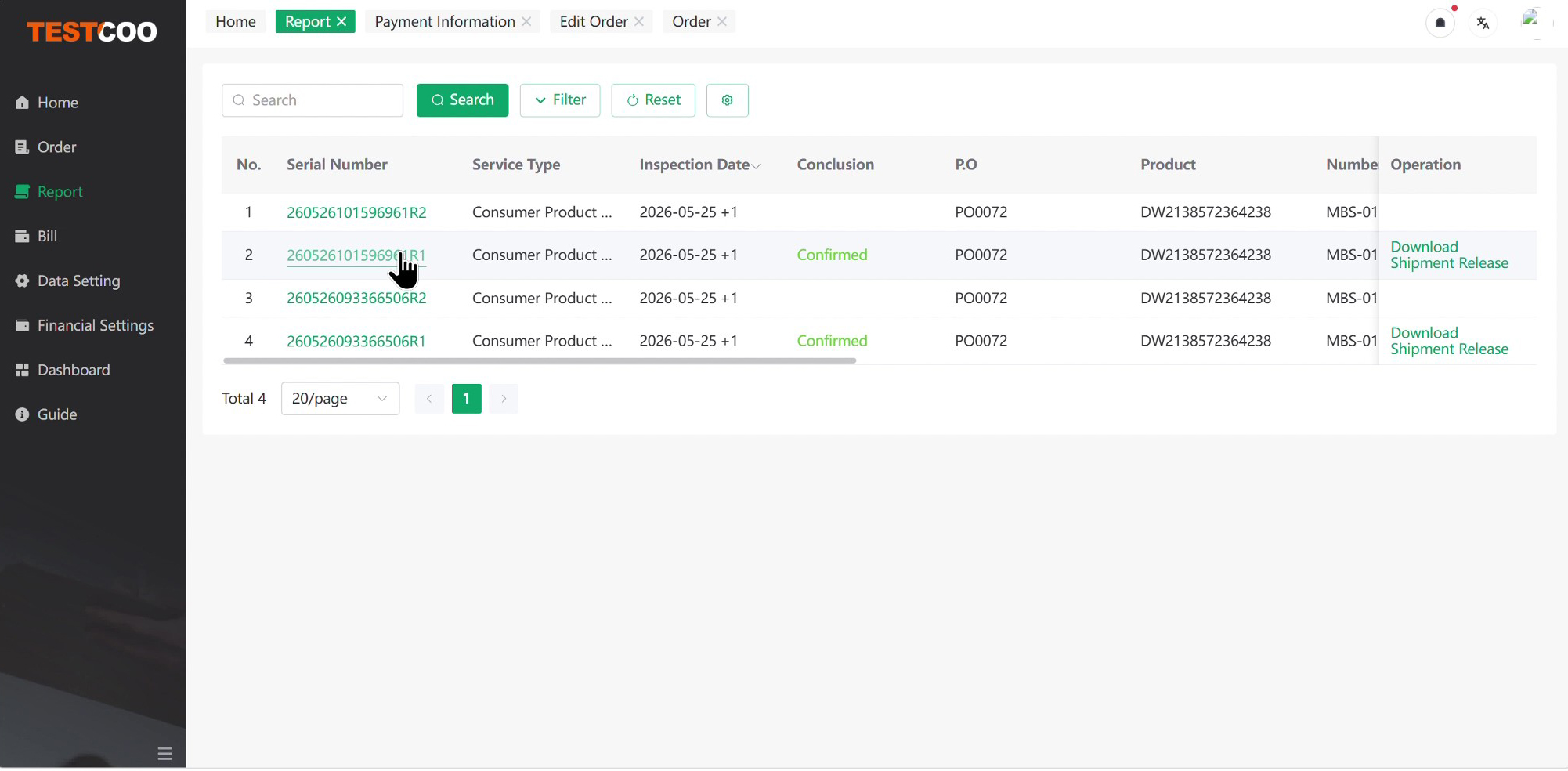
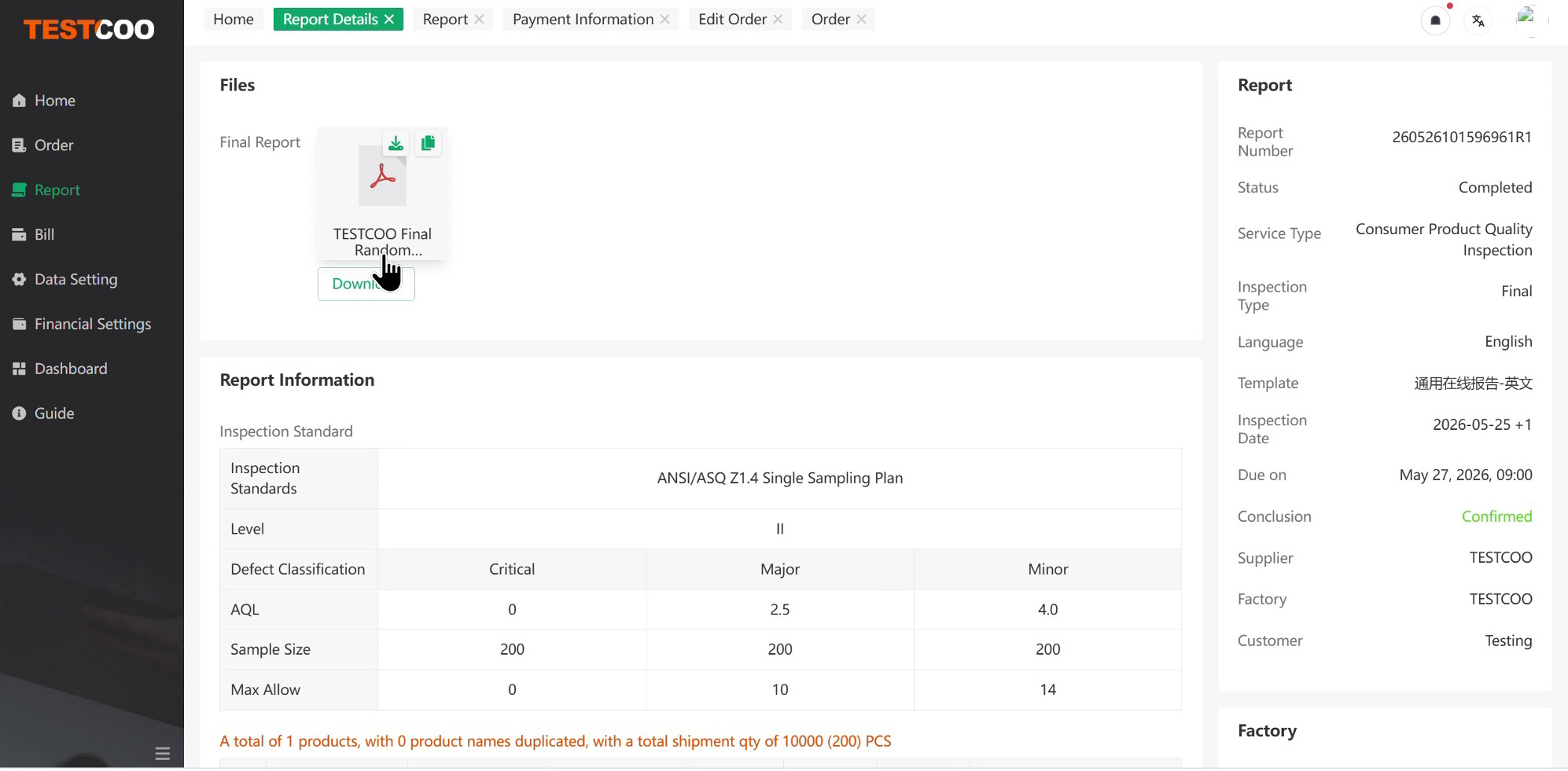
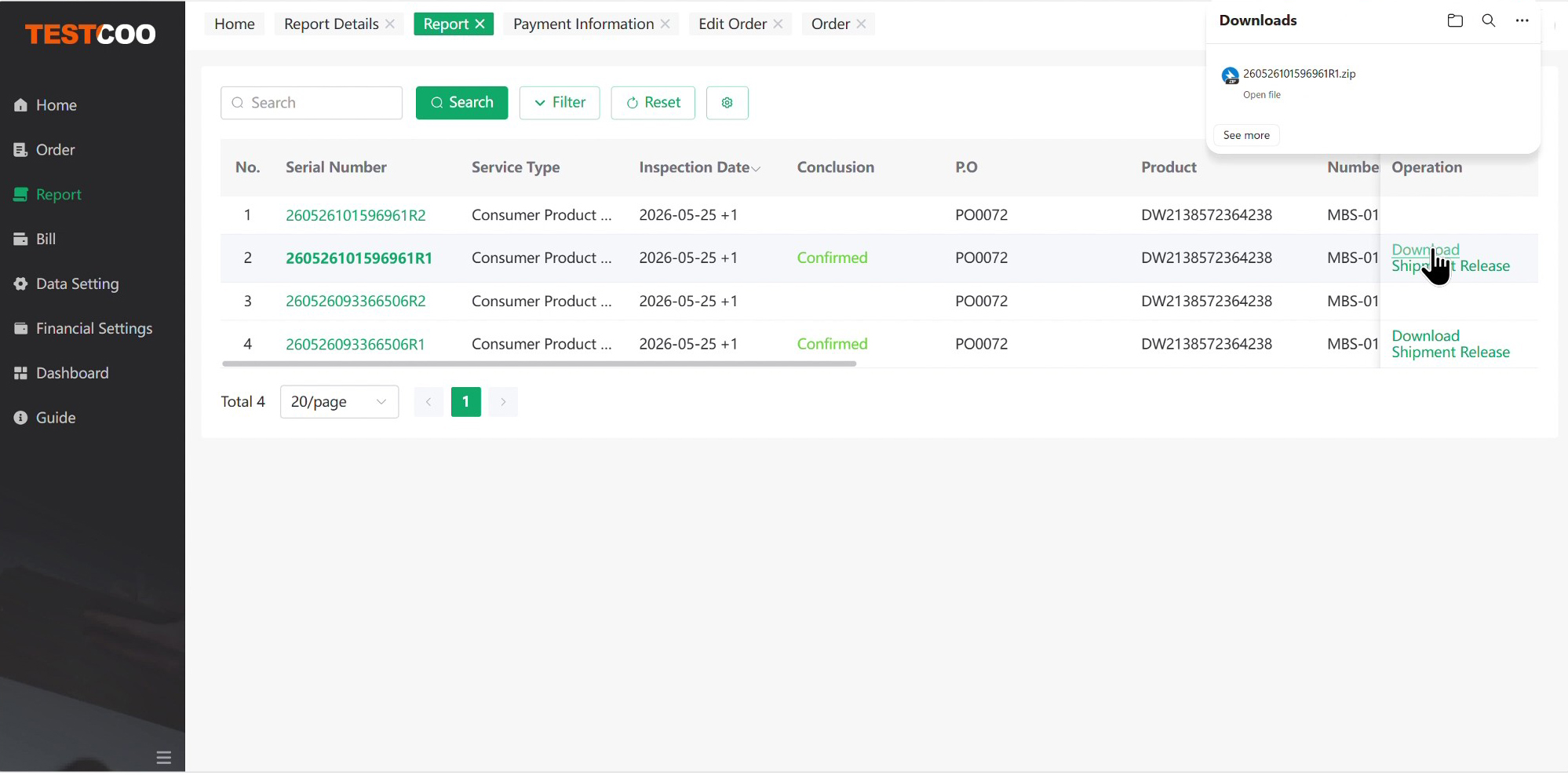
3.Click “Download” on the right side of the report list to download the complete inspection report as a PDF file.
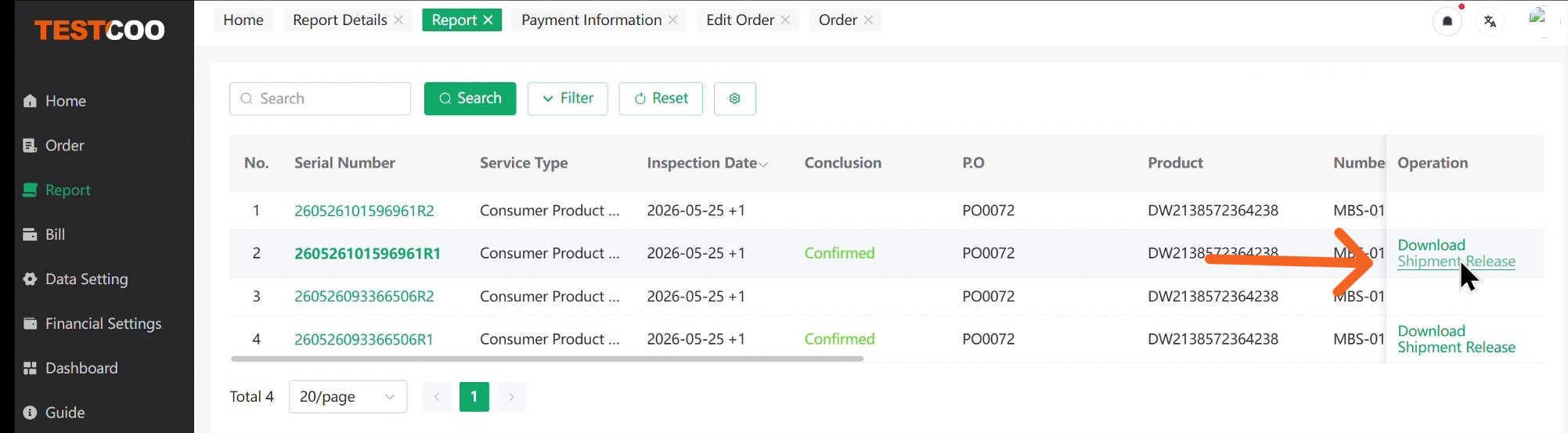
4.After reviewing the inspection report, click “Shipment Release” on the right side of the report list.
5.Select either “Release” or “Reject” based on the inspection results.
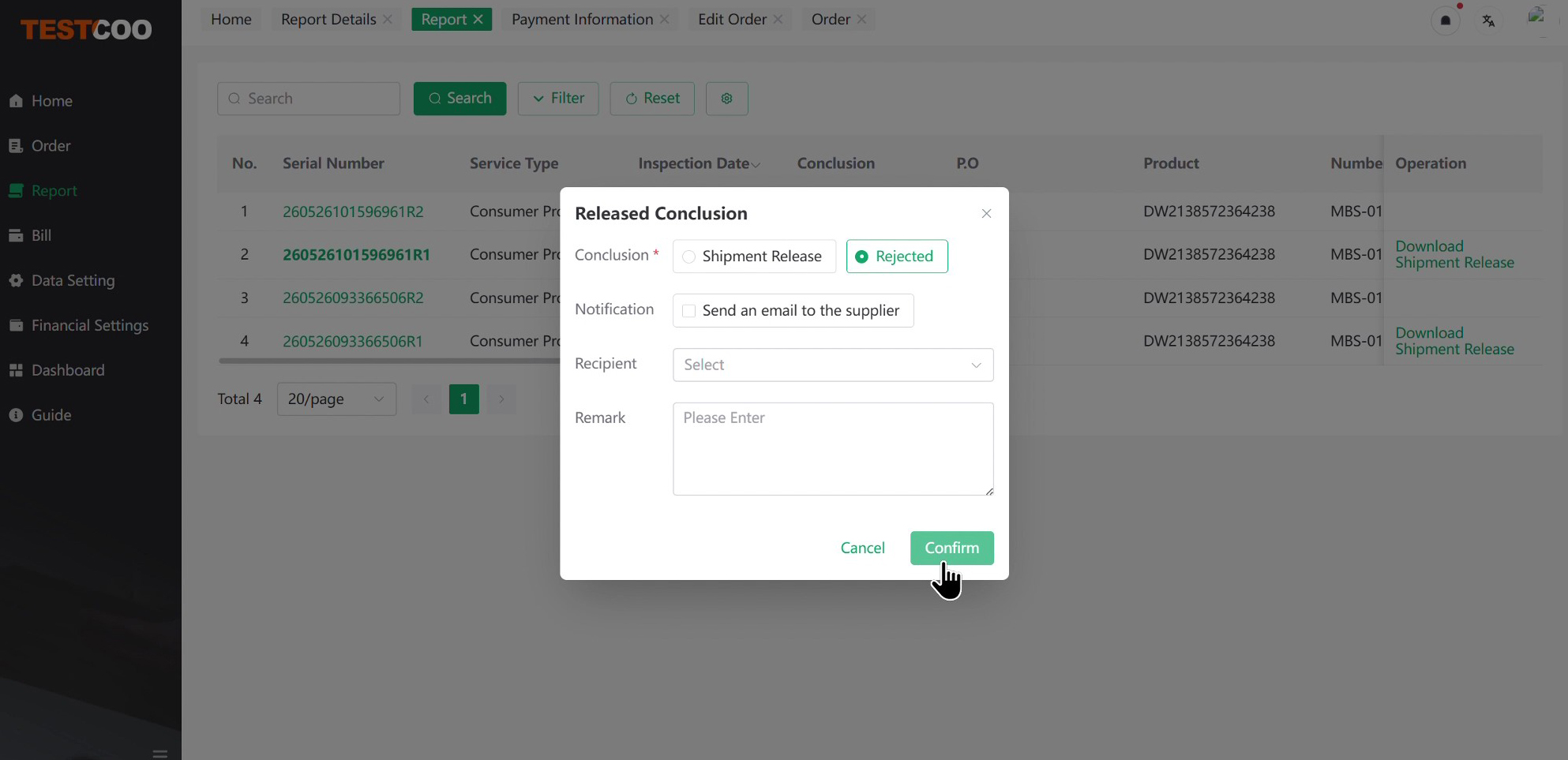
6.Add any necessary remarks or instructions before submitting your decision.
7.The system will automatically send an email notification to your supplier with your shipment decision and remarks.
8.Your latest shipment decision will be displayed in the Report List.
9.If necessary, you can update the shipment conclusion later through the platform.
5. Contact Your Dedicated CRM
1.Every TESTCOO client is assigned a dedicated CRM and account manager.
2.If you have questions about registration, order placement, inspection requirements, payment, reports, or shipment release, contact your dedicated CRM.
3.You can find the relevant contact information in the top-right corner of the platform homepage.

4.Our team will review your request and provide assistance as quickly as possible.